The SharePoint Today function will return the number of elapsed days since a reference date, in this case, December 31, 1899 (serial number 1). These are called “token numbers” and are stored in this way to facilitate calculation. The SharePoint Today function will only return the date, so if you want to get the time you need to use the Now function.
Usage
Usually, this value is used behind the scenes without us noticing. SharePoint adds to the List the “Created” column automatically that uses the Today function as the default value.
We also use it when we create a column and select the “Today's Date ” as the default value.
You’ll only use this function when you need to perform calculations from the current date, by creating a calculated field, for example.
Limitations
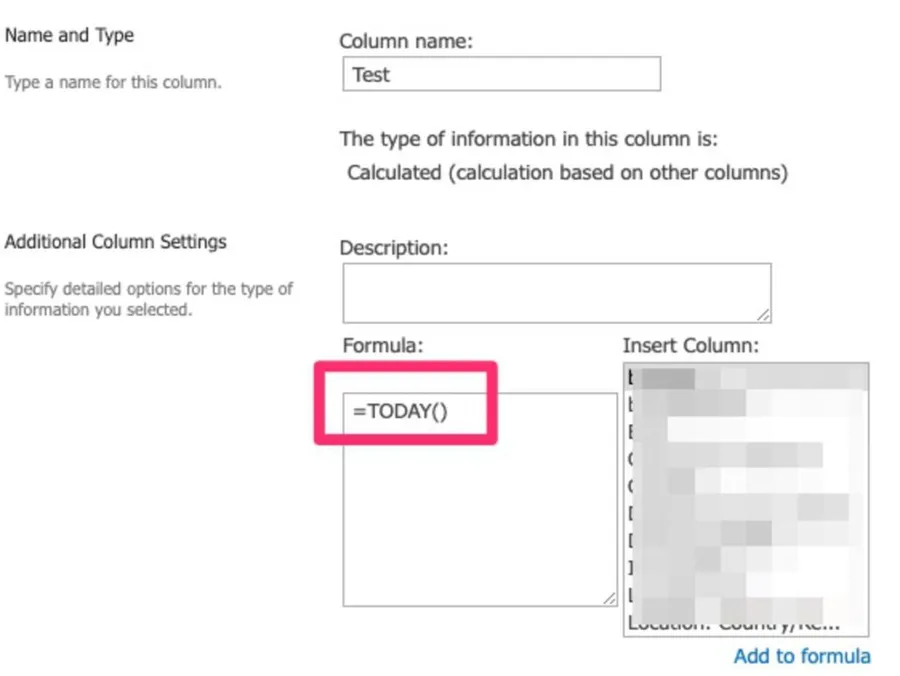
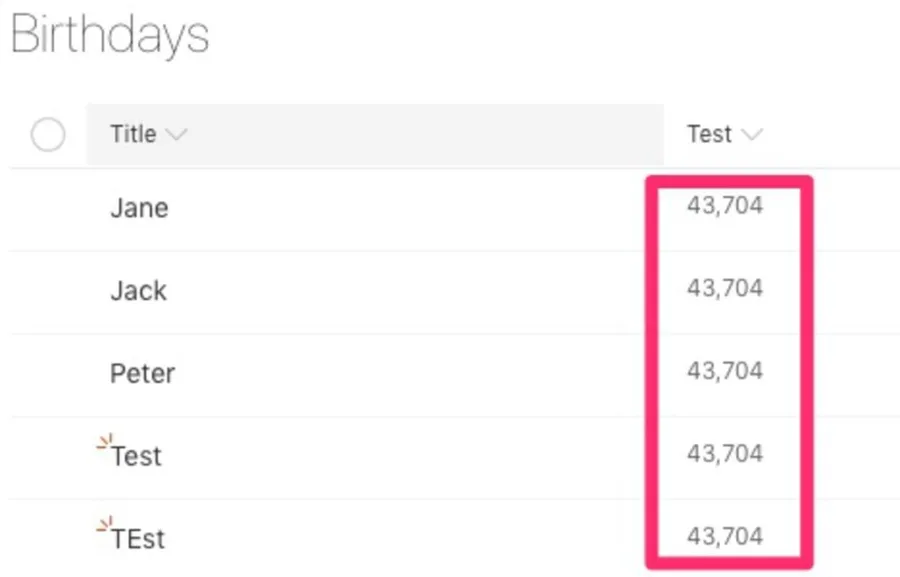
Although the reference indicates that we cannot use it in calculated fields, we can include it and get something. We’ll get the token and not a date. You can quickly test this by creating a calculated field:
=TODAY()
You can see the token for Today's date.
If you want to get the actual date, then you need to convert the token by adding it to the reference date, but this would be quite cumbersome with no real added value. Use it as a default value, and SharePoint will do the work for you.
Recommendations:
Use this field only as a default value or to calculate differences in dates. See DateDif for some examples on how to use it in a formula.
Don’t use the Today function if you want to do time-sensitive operations. Today will only contain the date, so you need to use the Now function to get the time.




No comments yet
Be the first to share your thoughts on this article!